Why Your Ford Lane Assist Keeps Turning Off (And How to Make It Stay On)
You’re on a long highway drive. Cruise control is set. Lane assist is on – that little vibrating nudge or gentle steering pull when you drift toward the line. It’s been working fine for an hour. Then you look down and the little green lane icon is gone. You press the button. It comes back. Ten minutes later – gone again. What is going on?
Yeah, that’s annoying. It’s not broken. Your Ford is actually doing exactly what it was designed to do. And once you understand why, you can stop fighting the button.
Here’s the short version: Ford’s lane keeping system turns itself off automatically when it can’t see the lane lines. Rain, snow, sun glare, faded road paint, construction zones, even a dirty windshield in front of the camera – any of these will make it quit. It’s not a bug. It’s a safety feature. Clean your windshield, avoid the bright sun, and use it only on well-marked highways.
Key Takeaways (Stop Fighting the Button)
- Lane assist needs clear lane lines – faded paint, rain, snow, or sun glare kills it.
- Camera location – behind your rearview mirror, looking through the windshield. Keep that glass clean.
- Speed matters – most Ford lane systems only work above 40 mph.
- No steering wheel detected – if you don’t keep your hands on the wheel, it turns off after 15 seconds.
- Button light behavior – solid green = on and ready. Flashing green = working. No light = off.
- The “hard set” – most Fords remember your last setting. Some default to off every restart. Check your menu.
- Rainy day? It won’t work. Just accept it.
The Real Reason Ford Lane Assist Disappears
Ever notice how lane assist works perfectly on sunny days on the interstate but quits as soon as you hit a shady back road? Or how it never works in the rain?
Here’s what’s happening: On your Ford windshield, right behind the rearview mirror, there’s a camera. It’s about the size of a golf ball. That camera is watching the road ahead, looking for the white and yellow lane lines.
When the camera can clearly see both lines on either side of your car, lane assist is ready. The icon is green. When you drift toward a line, the system gently steers you back or vibrates the steering wheel (depending on your settings).
But when the camera loses sight of those lines – even for a second – the system shuts off immediately. It says “I can’t see well enough to help you safely, so I’m not going to try.”
Common reasons the camera gives up:
- Rain or snow on the windshield
- Sun glare directly into the camera
- Shade from trees creating patchy light/dark
- Faded or missing lane lines
- Construction zones with temporary lines
- A dirty spot on the glass right in front of the camera
- Fog, heavy mist, or steam
- Snow covering the lane lines on the road
“Ford’s lane keeping system isn’t lazy – it’s cautious. It would rather turn itself off than give you bad information or make a dangerous steering correction. That’s good engineering. But it means you can’t rely on it 100% of the time.”
Quick Diagnosis: Why Did It Turn Off?
| Situation | Why Lane Assist Quit | What To Do |
|---|---|---|
| Driving into bright sun | Camera blinded by glare | Tilt sun visor, wait for sun to move |
| Light rain | Water droplets on windshield | Turn on wipers, clean glass |
| Heavy rain | Can’t see lines through water | Accept it – won’t work until rain stops |
| Snow on road | Lines are covered | Won’t work until roads are clear |
| Faded lane lines | Camera can’t detect them | Use lane assist only on fresh roads |
| Construction zone | Confusing temporary lines | Turn it off manually – it will keep failing |
| You took hands off wheel | System detected no steering input | Put hands back on wheel |
| Below 40 mph | System not designed for slow speeds | Speed up or don’t expect it to work |
⚠️ Safety reminder: Lane assist is a helper, not a driver. Keep your hands on the wheel. Keep your eyes on the road. The system can turn off without warning – and you need to be ready.
The Windshield Factor (Most Common Cause)
Here’s something almost no one thinks about: The lane keeping camera looks through a small triangle of windshield glass right behind the rearview mirror. If that little patch is dirty, the whole system fails.
Quick check: From outside the car, look at the windshield near the rearview mirror. See the camera housing? The glass in front of it needs to be spotless.
What blocks the camera view:
- A thin film of road grime
- Bug splatter
- Frost or ice
- A crack or chip in the glass
- An aftermarket windshield tint strip
- Your EZ-Pass or toll transponder mounted too high
The fix: Clean your windshield thoroughly. Inside and out. Use glass cleaner and a microfiber cloth. Pay extra attention to the area around the mirror.
I’ve seen lane assist come back to life for dozens of owners who simply washed their windshield. Try it before you do anything else.
Which Ford Models Have Lane Assist? And What’s Different?
| Ford Model | System Name | Turns Off When? | Does It Remember Setting? |
|---|---|---|---|
| F-150 (2018–2020) | Lane-Keeping System | Rain, sun, poor lines | No – defaults off at restart |
| F-150 (2021–2024) | Lane-Keeping System | Same, plus hands-off detection | Yes – remembers last setting |
| Explorer (2016–2022) | Lane-Keeping Aid | Rain, sun, poor lines | Yes – remembers |
| Mustang (2018–2024) | Lane-Departure Warning | Same, but no steering assist | Yes – remembers |
| Edge (2015–2021) | Lane-Keeping System | Rain, sun, poor lines | No – defaults off |
| Escape (2017–2023) | Lane-Keeping Aid | Same, plus camera blocked | Yes – remembers |
| Maverick (2022–2024) | Lane-Keeping System | Same as F-150 | Yes – remembers |
Important note: On older Fords (pre-2021), lane assist turns itself OFF every time you restart the car. You have to press the button again each trip. This is normal. It’s not broken. Ford changed this on newer models because owners complained.
The “Hands Off” Shutdown (Steering Wheel Detection)
This one catches a lot of people off guard. Here’s what happens:
You’re driving down a straight highway. Lane assist is working. You get comfortable. You take one hand off the wheel. Then the other. You’re basically not touching the wheel at all. The car drifts slightly, lane assist corrects, you still don’t touch the wheel.
After about 15 seconds of no steering input, the system displays a warning: “Keep Hands on Steering Wheel” or “Steering Required.” If you still don’t touch the wheel, it turns off completely. Some Fords also beep at you aggressively.
This is not a failure. This is a safety feature. Ford doesn’t want you treating lane assist like self-driving. It’s there to help, not replace you.
The fix: Keep at least one hand on the wheel at all times. A light grip is fine. The system just needs to feel small corrections from you.
Heavy rain kills lane assist completely. It’s not your car – it’s physics. The camera can’t see through water on the road.
How to Check Your Lane Assist Settings
Sometimes the system isn’t turning off – you just changed a setting without realizing it.
Step 1: On your Ford touchscreen, go to Settings → Driver Assistance → Lane-Keeping System.
Step 2: Check these three settings:
| Setting | Options | What It Does |
|---|---|---|
| Mode | Alert only / Aid only / Alert + Aid | Alert = steering wheel vibrates. Aid = steers you back. |
| Intensity | Low / Medium / High | How strong the steering correction is |
| Alert sensitivity | High / Normal / Low | How soon it warns you when drifting |
Step 3: Make sure the system is actually turned ON. There’s a master on/off toggle in this menu.
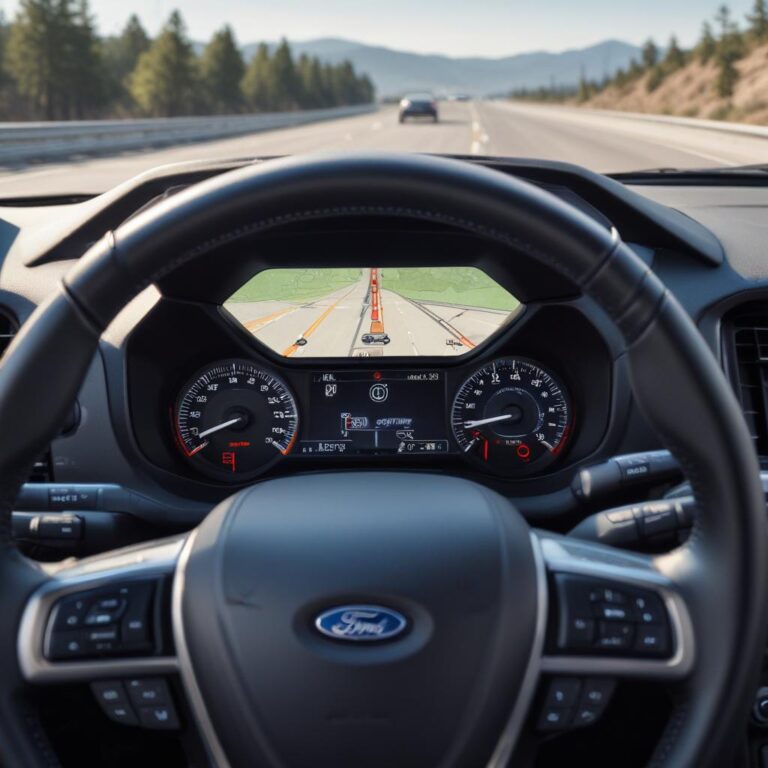
Step 4: On the main dash screen, look for the lane icon. Green lines on both sides = system is ready. Gray lines = system is on but can’t see lines. No icon = system is off.
Pro tip: Set intensity to High and sensitivity to Normal for the most noticeable lane keeping. Low intensity feels like nothing is happening.
The Button Behavior Guide (What That Light Means)
Every Ford with lane assist has a button on the turn signal stalk or steering wheel. It looks like a car between two lane lines. The button has a light. Here’s what it tells you:
| Button Light | Meaning | What To Do |
|---|---|---|
| No light | System is OFF | Press button once to turn on |
| Solid green light | System is ON and ready | Good – drive normally |
| Flashing green light | System is actively steering | It’s working as designed |
| Amber/orange light | System is ON but can’t see lines | Wait for conditions to improve |
| Light appears briefly then goes out | System attempted to turn on but failed | Check windshield, road conditions |
On newer Fords (2021+): The button light might be replaced by an on-screen indicator. Look at your instrument cluster instead.
Ford Lane Assist vs Other Brands (Quick Comparison)
| Brand | System Name | Turns Off Easily? | Remembers Setting? |
|---|---|---|---|
| Ford | Lane-Keeping System | Yes – sensitive to conditions | Depends on year |
| Chevy/GMC | Lane Keep Assist | Less sensitive – works in light rain | Usually yes |
| Ram | Lane Keep Assist | Similar to Ford | Usually yes |
| Toyota | Lane Departure Alert | Very sensitive – turns off often | Usually yes |
| Honda | Lane Keeping Assist | More persistent | Yes |
Ford’s system is on the more cautious side. It turns off faster than GM or Honda systems. Some owners call this “oversensitive.” Engineers call it “safe.” Both are right.
What to Do If It Still Won’t Stay On
You’ve cleaned the windshield. You’re on a clear highway with good lines. It’s not raining. The sun isn’t glaring. And lane assist still keeps turning off.
Try these in order:
Step 1: Calibrate the camera. On most Fords, this happens automatically when you drive straight on a clear highway for 10 minutes. Some models have a manual calibration in the service menu.
Step 2: Check for software updates. Ford releases updates for driver assistance systems. A dealer can check if yours needs one. Some 2020–2022 models had buggy software that caused false turn-offs.
Step 3: Inspect the camera housing. Is it cracked? Loose? Water inside? Any damage can confuse the system.
Step 4: Test on a different highway. Some roads have lane lines that are faded or have low contrast. The camera might see them fine on one road but not another.
Step 5: If all else fails, have the dealer run a diagnostic. The camera or control module might be failing. Replacement costs $500–800.
FAQ (Real Questions from Ford Owners)
1. Why does my Ford lane assist turn off every time I restart the car?
That’s normal for Fords built before 2021. Ford designed it to default to OFF at every restart. You have to press the button again each trip. Newer models remember your last setting.
2. Can I make lane assist stay on permanently?
On pre-2021 Fords, no. It’s programmed to reset. On 2021+ models, go into Settings → Driver Assistance → Lane-Keeping → and turn on “Remember Last Setting” if available.
3. Does lane assist work in the snow?
Almost never. Snow covers the lane lines. The camera can’t see them. The system will stay off until the road is clear. Don’t expect it to work in winter conditions.
4. Why does my lane assist work on some roads but not others?
Different roads have different lane line quality. Fresh white paint on a sunny day = perfect. Faded yellow paint on an overcast day = poor. The camera sees contrast. Low contrast = system off.
5. Can a windshield replacement affect lane assist?
Yes – big time. Aftermarket windshields sometimes have distortion in the camera area. Also, the camera needs to be recalibrated after any windshield replacement. If you got a new windshield and lane assist stopped working, take it back to the shop for calibration.
6. Does lane assist work at night?
Yes, if the lane lines are reflective and your headlights are on. But it’s less reliable at night. Dark roads with non-reflective paint = system will struggle and turn off frequently.
7. Why did my lane assist stop working after I got my windows tinted?
The tint installer probably covered the camera area on the windshield. Windshield tint film blocks the camera’s view. Some tint shops put a strip across the top of the windshield – that’s exactly where the camera lives. Remove the tint strip near the mirror.
The Bottom Line (Work With the System, Not Against It)
Here’s what you need to remember about Ford lane assist:
- It’s not broken – it’s cautious. Accept that it will turn off in bad conditions.
- Clean your windshield – that camera needs a clear view. Dirty glass is the #1 preventable cause.
- Pre-2021 Fords reset every time – you have to turn it back on each drive. That’s normal.
- Keep your hands on the wheel – take them off for 15 seconds and it shuts down on purpose.
- Use it on highways only – it’s not designed for back roads with faded lines.
Here’s the honest truth: Ford’s lane assist is a solid system when you understand its limits. It’s not Tesla’s Autopilot. It’s not meant to be. It’s a gentle helper that works best on clear days on well-marked highways.
If you want something that works in rain, snow, and sun glare, no production car does that reliably yet. The technology isn’t there. Every brand’s system struggles with the same things Ford’s does.
So clean your glass, keep your hands on the wheel, and press that button again after every restart. That’s just how it works.
Has your Ford lane assist ever turned off at exactly the wrong moment? What were the road conditions? Tell us in the comments – and share any tips we missed.
References: