Why Your Ford USB Port or Charger Isn’t Working (And How to Fix It in 5 Minutes)
You plug your phone into your Ford’s USB port. Nothing happens. No charging icon. No CarPlay. No Android Auto. You try the other port. Still nothing. You try a different cable. Same problem. Now you’re sitting in your driveway, phone battery dying, with no idea what went wrong. Is it the fuse? The port itself? The whole SYNC system?
That’s frustrating. Your Ford’s USB ports are supposed to be convenient – plug in, charge up, connect your phone. When they stop working, it feels like your car is falling apart. But here’s the good news: most USB port failures are simple, cheap, and fixable in your driveway. A dead port doesn’t mean a dead car.
The short version: Ford USB ports stop working for four main reasons: a blown fuse, a bad cable, a SYNC glitch, or a dead USB module. First, try a different certified cable (cheap cables fail constantly). Then perform a SYNC soft reset (hold power + track forward for 10 seconds). Check the fuse (usually #58 or #64). Still dead? Replace the USB module – it’s a $60-120 part and a 15-minute DIY job. Most Ford owners fix this for under $100, not $500 at a dealer.
Key Takeaways (Ford USB Port Diagnosis)
- Try a different cable first – cheap, non-certified cables fail all the time. Use USB-IF certified cables .
- SYNC soft reset – hold the power button (volume knob) and track forward button for 10 seconds until the screen reboots. This fixes software glitches .
- Check the fuse – locate the USB port fuse in your owner’s manual (often fuse #58 on F-150) .
- Liquid spills kill USB modules – coffee and soda corrode the circuit board. #1 cause of permanent failure .
- Clean the port – lint and debris block the connection. Use compressed air or a toothpick (not metal) .
- Replace the USB module – $60-120 part, 15-minute DIY. No programming needed – plug and play .
- Not all USB ports charge – some Ford USB ports are data-only. Check your owner’s manual .
The Real Reason Your Ford USB Ports Stopped Working
Ever notice how the problem started after you spilled coffee? Or after a SYNC update? Or for no reason at all, one day they just quit?
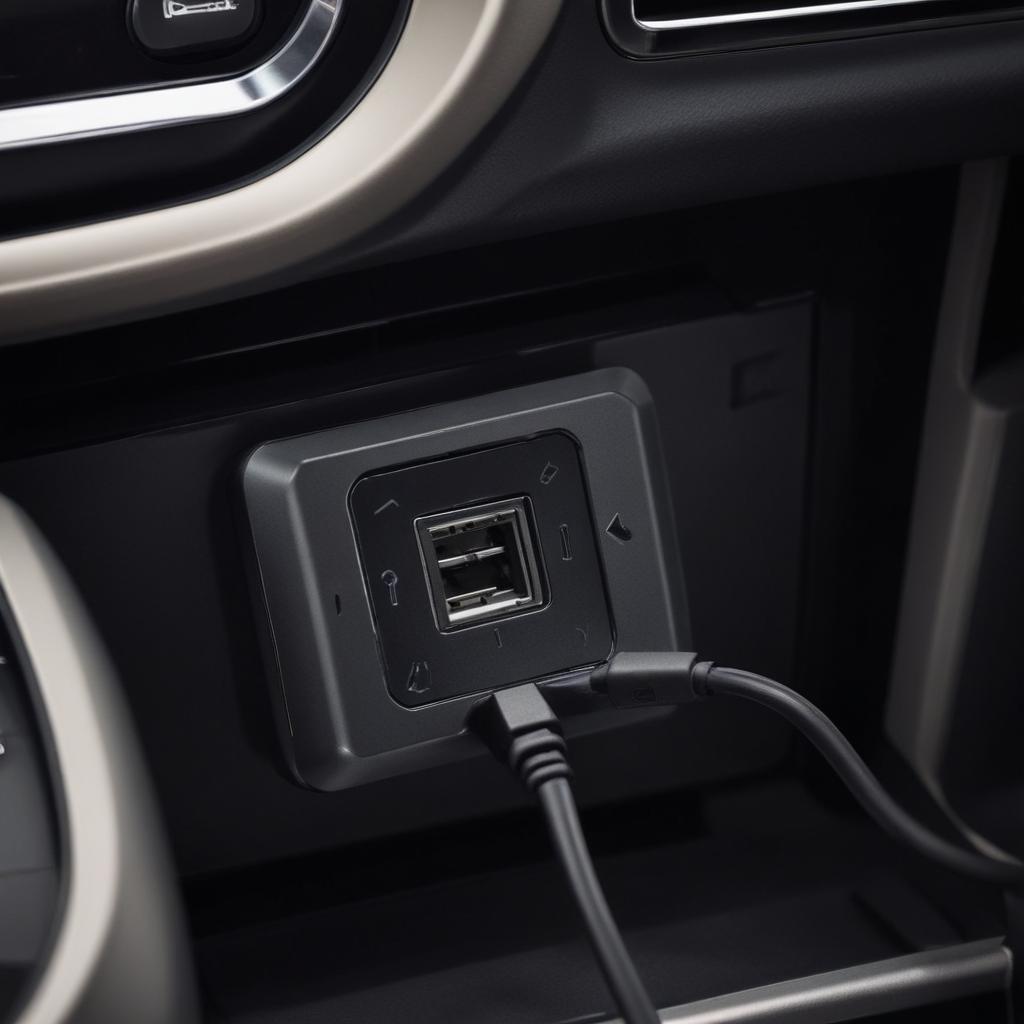
Here’s what’s happening inside your Ford: The USB ports are connected to a small module called the USB media hub. This module does two things: it provides power for charging, and it handles data for CarPlay and Android Auto . The module sits behind the port assembly in your center console or dashboard.
When the module fails, you lose both charging and data. The module can fail from:
- Liquid spills – coffee, soda, water – the #1 killer. The sugar and acid corrode the circuit board .
- Electrical shorts – a faulty phone cable can send a surge that fries the module .
- Heat cycles – over time, temperature changes can cause internal connections to fail.
- SYNC software glitches – the system sometimes shuts down the ports after detecting a fault .
On Ford F-150 (2017-2023) , the open-top media bin design makes the USB module extremely vulnerable to liquid spills . One spilled coffee and your ports are dead.
On Ford Explorer and Police Interceptor , intermittent USB issues are common – they sometimes fix themselves after the car sits overnight, suggesting a software issue .
On Ford Fiesta , the problem might be a relay fuse in the glove box fuse panel .
Quick Diagnosis: What Is Your Ford USB Port Doing?
| Symptom | What’s Likely Wrong | Fix Time |
|---|---|---|
| No charging AND no data | Dead USB module, blown fuse, or software glitch | 5-15 minutes |
| Charges but no CarPlay/Android Auto | Bad cable or data pins damaged | Try new cable first |
| Works sometimes, not others | Loose connection, software glitch, or dying module | Soft reset then inspect |
| Port has power but phone not recognized | SYNC software issue or bad cable | Soft reset + master reset |
| “USB Device Not Responding” error with nothing plugged in | Faulty USB module or SYNC glitch | Soft reset, then replace module |
| One port works, the other doesn’t | That specific port failed | Replace whole USB module (both ports in one assembly) |
| Burning smell from port | Electrical short – serious | Stop using immediately. Replace module |
⚠️ Safety reminder: If you smell burning plastic or see smoke from your USB port, stop using it immediately. Unplug any devices. Have the module inspected or replaced – this indicates an electrical short that could cause a fire .
Fix #1: The SYNC Soft Reset (Free – Works 50% of the Time)
This is the single most effective fix for Ford USB port problems. It clears software glitches without erasing your settings.
What you need: Your Ford, running engine (prevents battery drain), 30 seconds.
Step 1: Start your Ford engine.
Step 2: Locate two buttons:
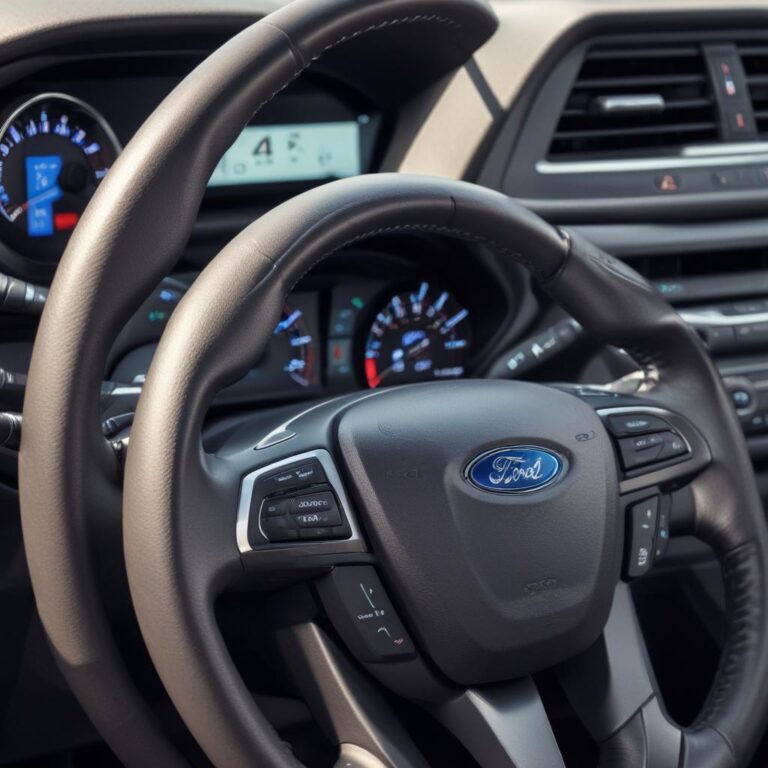
- The Power button – the volume knob. Push it in (don’t turn it).
- The Track Forward button – the “>>” or “next track” button on your steering wheel or dashboard .
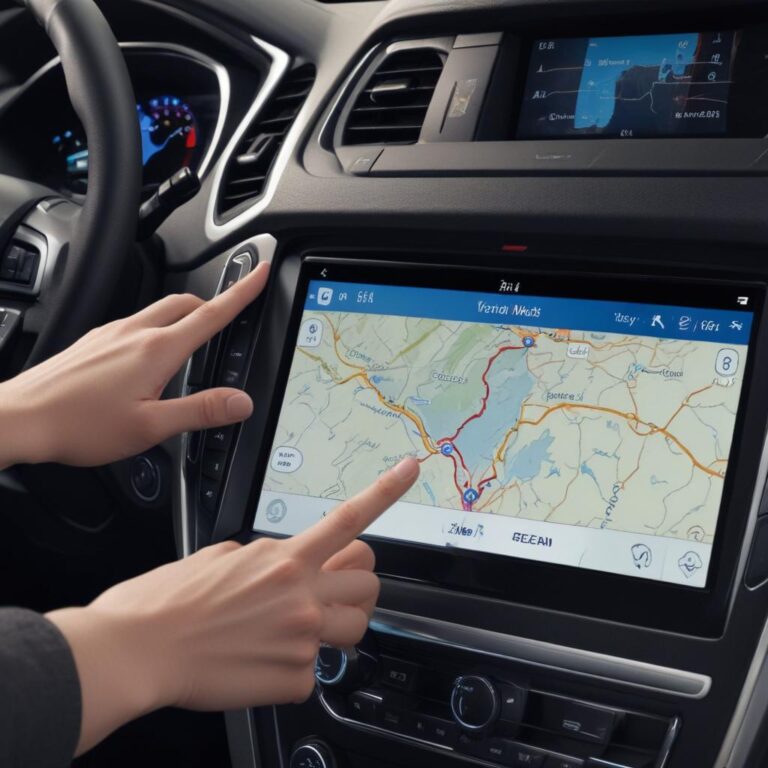
Step 3: Press and HOLD both buttons simultaneously for about 10 seconds.
Step 4: Watch the screen. It will go black. Then the Ford or Lincoln logo will appear.
Step 5: Release the buttons when you see the logo. The system is rebooting.
Step 6: Wait for SYNC to fully restart (about 30-60 seconds).
Step 7: Test your USB ports.
This works because the soft reset reboots the SYNC system without erasing your paired phones or saved addresses. It’s like restarting a frozen computer – fixes most glitches . On Ford F-150, this fixes the “USB device not responding” error commonly .
Fix #2: Check the Fuse (Free – 5 Minutes)
If the soft reset didn’t work, check the fuse. USB ports have their own dedicated fuse.
What you need: Your Ford owner’s manual, fuse puller (in the fuse box), flashlight, 5 minutes.
Step 1: Locate your Ford’s fuse box. There are usually two:
- Under the hood – near the battery (main fuse box)
- Inside the cabin – under the dashboard or behind the glove box
Step 2: Open your owner’s manual to the fuse diagram. Look for:
- “USB”
- “Media Hub”
- “Power Point” (sometimes the USB ports share a fuse with auxiliary power outlets)
- On Ford F-150, check fuse #58
Step 3: Pull the fuse using the fuse puller (small plastic tool inside the fuse box).
Step 4: Inspect the metal strip inside the plastic. Is it broken? If yes – blown fuse.
Step 5: Replace with a fuse of the exact same amp rating (color tells you the amps – yellow = 20, blue = 15, red = 10). Never put a bigger fuse in.
Step 6: Test the USB ports.
On Ford Fiesta, the USB fuse may be in the glove box fuse panel. Check your owner’s manual for the exact location . A blown fuse usually means something caused a power surge – if the new fuse blows again, you have a short in the USB module or wiring.
Liquid spills cause more than a third of all Ford USB port failures – more than any other single cause. Keep drinks away from your center console .
Fix #3: Try a Different Cable (Cheap Fix – Try First)
This sounds obvious, but it’s the most overlooked fix. Cheap USB cables fail constantly. The wires inside break from bending. The connector gets loose.
The problem: Many Ford owners blame the car when the real problem is a $5 gas station cable. Non-certified cables may not work at all in Ford vehicles .
The fix:
Step 1: Find a certified USB cable – look for “USB-IF certified” on the packaging . Apple’s official cables, Anker, Belkin, and other name brands work best.
Step 2: Test with a different phone if possible.
Step 3: If a known-good cable works, throw away the old cable.
On Ford vehicles, non-certified cables and adapters may not work at all. Spend the extra $10-15 on a quality cable – it’s cheaper than a new USB module .
Fix #4: Clean the USB Port (Free – 2 Minutes)
Lint, dust, and debris can block the connection between your cable and the USB port. Your phone charges fine on the cable at home – but in the car, the port is dirty.
What you need: Flashlight, compressed air or a toothpick (non-metallic), 2 minutes.
Step 1: Turn off your Ford (safety first).
Step 2: Shine a flashlight into the USB port. Do you see lint, crumbs, or dust?
Step 3: Use compressed air to blow out the port. Hold the can upright – don’t spray liquid.
Step 4: If compressed air doesn’t work, gently use a wooden or plastic toothpick to remove debris. NEVER use a metal paperclip or needle – you’ll short out the pins .
Step 5: Plug in your cable. Test.
This is especially common on phones, but USB ports in your Ford also collect debris over time. A quick clean takes 2 minutes and might save you $100.
Fix #5: The Master Reset (Last Resort)
If the soft reset didn’t work, a master reset might. But be warned – this erases EVERYTHING.
⚠️ Warning: A master reset erases all personal data from your SYNC system :
- Paired Bluetooth phones
- Call history and text messages
- Saved navigation addresses and favorites
- FordPass app connection (you’ll need to re-pair)
- Radio presets (on some models)
When to use a master reset: After you’ve tried a soft reset, new cable, and checked fuses – and the USB ports still don’t work.
How to perform a master reset :
Step 1: Start your Ford engine (keeps battery charged).
Step 2: On your SYNC screen, tap Settings.
Step 3: Select General.
Step 4: Scroll down to Master Reset.
Step 5: Tap Master Reset. Confirm.
Step 6: The screen will go blank. Wait 2-5 minutes for the system to reboot.
Step 7: Perform a key cycle: Turn off engine → open driver door → close driver door → wait 3 minutes → restart.
Step 8: Re-pair your phone. Test the USB ports.
If the master reset doesn’t fix the problem, the issue is likely hardware – a dead USB module or damaged wiring.
Fix #6: Replace the USB Module (15-Minute DIY)
If you’ve tried everything else – new cable, soft reset, master reset, checked fuses – it’s time to replace the USB module. This is surprisingly easy.
What you need: Replacement USB module ($60-120), plastic trim removal tool (or a plastic card), 15 minutes .
Where to buy the USB module:
- New OEM (from Ford): $60-120
- New aftermarket: $50-95
- Used OEM (eBay, junkyard): $25-75
Important: Match the part number from your original module. There are many different versions – USB-A only, USB-C only, or combinations. The part number is printed on the module .
Step-by-step replacement :
Step 1: Purchase the correct replacement module. Match the part number from your original.
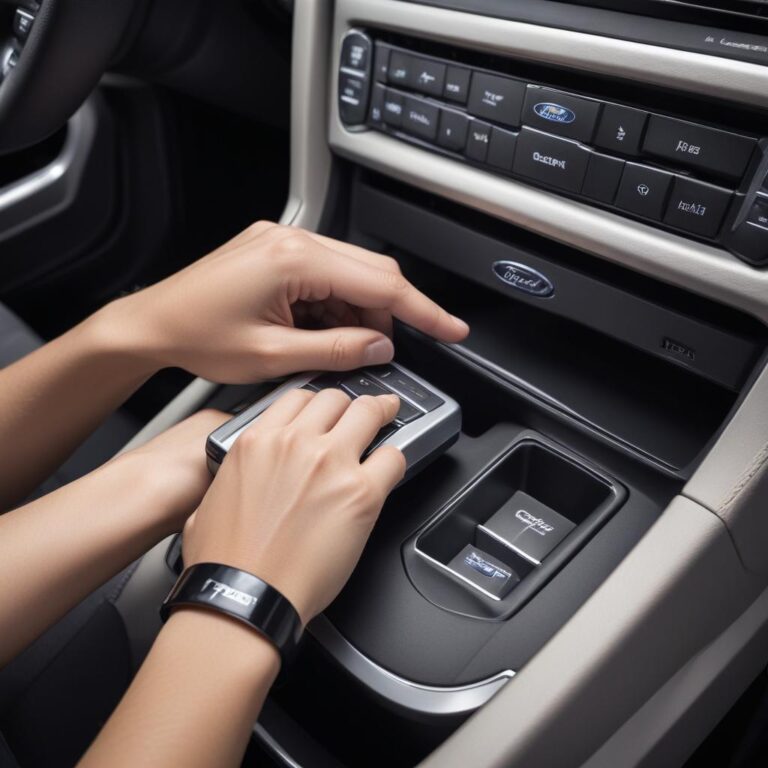
Step 2: Use a plastic trim tool (or a credit card wrapped in a cloth) to gently pry around the edge of the USB port assembly.
Step 3: The module is held in by clips. Pry carefully – the plastic can scratch.
Step 4: Pull the module out just enough to access the connectors on the back.
Step 5: Press the release tab on each connector and pull straight out. Do not pull on the wires – pull only on the plastic connector .
Step 6: Plug the connectors into the new module until they click.
Step 7: Before snapping the module back in, start your Ford and test the ports.
Step 8: If everything works, push the module back into its opening until the clips engage.
Step 9: Done. No programming needed. It’s plug-and-play .
This repair is rated 1/5 difficulty – one of the easiest DIY jobs on your Ford. A dealer would charge $200-400 for the same repair .
| Ford Model | Most Common USB Problem | DIY Fix Cost | Ford Dealer Cost |
|---|---|---|---|
| F-150 (2017-2023) | Liquid spill in open-top media bin | $60-120 (new USB module) | $300-500 |
| F-150 (2015-2020) | Fuse #58 blown | $0-2 (fuse replacement) | $100-150 diagnostic |
| Explorer (2020-2024) | Intermittent – SYNC software glitch | $0 (soft reset) | $150-250 |
| Expedition (2018-2025) | USB cable from module to APIM failed | $30-50 (replacement cable) | $300-500 |
| Mustang (2015-2023) | USB module failed – no power | $60-120 | $300-500 |
| Edge (2016-2023) | SYNC soft reset fixes it | $0 | $100-200 |
| Fiesta (2014-2019) | Relay fuse in glove box | $10-15 | $150-250 |
| Police Interceptor (2020-2024) | Ports removed or wiring cut (decommissioned) | $20-100 (reconnect wires) | $200-400 |
The F-150’s open-top media bin design makes it the most vulnerable to liquid damage. Keep drinks away from the center console .
Ford USB Port Locations
USB ports can be in different places depending on your Ford model and year :
Common locations:
- Lower instrument panel – below the climate controls, near the 12V outlet
- Inside the center console – under the armrest or in the storage bin
- Media bin – open storage area in front of the shifter
- Rear of center console – for rear passengers
- Back of front seats – for second-row passengers
- Cargo area – on some SUVs and trucks
Note: Not all USB ports have data transfer capabilities. Some are charge-only ports . If you plug in your phone and it charges but CarPlay/Android Auto doesn’t work, you might be using a charge-only port. Check your owner’s manual for which ports support data.
USB port identification:
- USB-A – rectangular port (older style)
- USB-C – smaller, oval port (newer, faster charging)
Special Cases: Ford Expedition and Police Interceptor
Ford Expedition (2018-2025): On some Expeditions, the problem isn’t the USB module – it’s the cable connecting the module to the SYNC computer (APIM). Owners have found that replacing this cable solves persistent USB issues . This requires more disassembly of the center console.
Police Interceptor Utility (2020-2024): Decommissioned police vehicles often have USB ports that were removed or had their wiring cut. If you bought a former police Ford Explorer, check under the center console for cut wires – they may need to be spliced back together .
The Battery Disconnect Method (Nuclear Option)
If nothing else works, try disconnecting your Ford’s battery. This forces every module in the car – including SYNC – to fully reset.
Step 1: Disconnect the negative battery terminal.
Step 2: Wait 20 minutes. This allows all modules to fully power down .
Step 3: Reconnect the negative terminal.
Step 4: Start your Ford. Test the USB ports.
This is more aggressive than a SYNC reset. It won’t erase your settings like a master reset, but it will clear any “stuck” states in modules that a soft reset can’t reach .
Can You Upgrade from USB-A to USB-C?
Yes, in many Ford models, you can replace an older USB-A module with a newer one that includes USB-C ports.
What you need: A replacement USB module with USB-C ports that is physically the same shape and uses the same connectors as your original .
Compatibility: As long as the part number is listed as compatible with your vehicle model and year, it’s a direct swap. No programming needed .
This is a popular upgrade on 2017-2020 Ford F-150 and Explorer. You get faster charging and future-proof ports for about $80.
What NOT to Do (Ford USB Port Mistakes)
| Mistake | Why It’s Bad |
|---|---|
| Using metal objects to clean USB ports | Shorts out the pins. Damages the module permanently . |
| Ignoring burning smell | Electrical short can cause a fire. Stop using immediately . |
| Spilling drinks on center console | #1 cause of permanent USB module failure. Coffee and soda corrode the circuit board . |
| Using cheap, non-certified cables | May not work at all. Can cause intermittent connection and SYNC errors . |
| Pulling on wires when disconnecting module | Damages the wiring harness. Makes repair much more expensive . |
| Putting a bigger fuse in | Fire hazard. The wiring isn’t designed for more current. |
| Assuming dealer is the only option | USB module replacement is a 15-minute DIY job. Save $200-400 . |
| Ignoring SYNC updates | Old SYNC software can cause USB compatibility issues. Keep SYNC updated. |
⚠️ Safety reminder: Never use metal objects to clean USB ports. A paperclip or needle can short out the pins, permanently damaging the module – and potentially causing an electrical fire. Use compressed air or a wooden toothpick only .
FAQ (Real Questions from Ford Owners)
1. Why does my Ford charge my phone but CarPlay/Android Auto won’t work?
The data pins inside the port or cable are damaged, or there’s a software issue. The power pins are separate and can still work even when data fails . Try a new certified cable first. Then perform a SYNC soft reset. If that doesn’t work, replace the USB module.
2. How much does it cost to replace a Ford USB port?
DIY: $60-120 for the part, 15 minutes of your time . Shop: $200-400. Dealer: $300-500. Do it yourself – it’s one of the easiest repairs on your Ford.
3. Why do my USB ports work sometimes but not others?
Intermittent issues are usually a faulty cable, loose connection behind the module, or SYNC software glitch . Try a new cable. Then perform a soft reset. If the problem persists, check the connection on the back of the module.
4. Will a master reset erase my navigation maps?
No. A master reset erases personal data (paired phones, saved addresses, radio presets). It does NOT delete navigation map data . Your maps remain intact.
5. Can a blown fuse cause USB ports to stop working?
Yes. The USB ports have their own dedicated fuse. Check your owner’s manual for the location and amp rating . On F-150, check fuse #58 . On Fiesta, check the relay fuse in the glove box .
6. How do I know if my Ford USB port is charge-only?
Check your owner’s manual. Some USB ports in the rear seats or cargo area are charge-only and don’t support data transfer . If your phone charges but CarPlay doesn’t work, you might be using a charge-only port.
7. Why does my Ford say “USB device not responding” when nothing is plugged in?
This is a known software glitch on some Ford F-150s, especially with SYNC 4 . The system thinks there’s a device connected. Perform a SYNC soft reset (power + track forward for 10 seconds) . If that doesn’t work, disconnect the battery for 20 minutes .
8. Can I upgrade my older USB-A ports to USB-C?
Yes, in many Ford models. As long as the replacement module is physically the same shape and uses the same connectors, it’s a direct swap. No programming needed . This is a popular upgrade on 2017-2020 F-150 and Explorer.
Prevention Tips for Ford USB Ports
- Keep drinks away from the center console – liquid spills are the #1 killer of USB modules
- Use certified USB cables – cheap cables cause connection issues and can damage ports
- Clean ports regularly – use compressed air every few months to remove dust and lint
- Update SYNC software – new software versions fix USB compatibility issues
- Don’t force cables – if it doesn’t plug in easily, check for debris before pushing harder
- Unplug before turning off car – some Ford owners report less wear on ports when unplugging before shutdown
The Bottom Line (Fix Your Ford USB Port Today)
Here’s your game plan based on your symptoms:
- No charging + no data → try a new certified cable first. Then SYNC soft reset. Then check fuse. Then replace USB module.
- Charges but no CarPlay → data pins damaged. Try new cable. If that doesn’t work, replace USB module.
- Intermittent connection → loose connection or software glitch. Soft reset. Check the back of the module.
- One port works, one doesn’t → replace the whole USB module assembly .
- “USB device not responding” error → soft reset. Then disconnect battery for 20 minutes .
- Burning smell → stop using immediately. Replace USB module .
Here’s the honest truth: Your Ford USB ports are not magic. They’re a simple module that plugs into the back of your center console. When they fail, it’s almost always a $10 cable, a free software reset, or a $60 part that takes 15 minutes to replace.
Don’t let a dealer charge you $500 to do what you can do in your driveway. The USB module is plug-and-play – no programming, no special tools. A plastic trim tool and 15 minutes is all you need.
Start with the free stuff: new cable, soft reset, check fuses, clean the port. Ninety percent of Ford USB problems end there. Only then – if nothing works – replace the module.
And for the love of your USB ports, keep your coffee in the cup holder, not in the media bin. One spill costs you $100.
Has your Ford’s USB port ever stopped working? What was the fix – a new cable, a SYNC reset, or a replacement module? Share your story in the comments – someone else is plugging in their phone right now with no luck.
Ford USB Port Keywords Summary
This guide covers: Ford USB port not working, Ford charger not working, Ford USB port fuse location, SYNC soft reset Ford, Ford USB module replacement, Ford CarPlay not working, Ford Android Auto not connecting, Ford F-150 USB port not charging, Ford Explorer USB port dead, Ford USB-C port not working, Ford USB device not responding error, Ford USB port upgrade to USB-C, Ford USB module cost.
References:
- Go-Parts – Ford USB Port Failure Diagnosis and Replacement Guide
- Ford F150 Forum – USB Port Fuse Location (Fuse #58)
- F150gen14 Forum – USB Device Not Responding Error (SYNC 4)
- F150 Tremor Forum – Intermittent USB Port Failure
- Ford Owner Manual – USB Port Locations
- StartMyCar – Ford Explorer USB Port No Power (Police Interceptor Wiring)
- StartMyCar – Ford Fiesta USB Port Fuse (Glove Box)