The Digital Cockpit: Inside Ford’s Latest Tech Innovations (2021-2025)
Remember when “high-tech” in a car meant a CD changer and power windows? Fast forward to 2025, and your Ford can update itself overnight, drive hands-free on the highway, and power your entire house during a blackout. The cockpit isn’t just digital anymore – it’s practically a spaceship, but way easier to understand.
SYNC 4 and SYNC 4A: The Brain Behind the Screen
Ford’s fourth-generation infotainment system didn’t just get an upgrade – it got a complete overhaul. SYNC 4 and its advanced sibling SYNC 4A transformed how drivers interact with their vehicles, making everything more intuitive and actually enjoyable to use.
Processing Power That Actually Matters
The jump from SYNC 3 to SYNC 4 brought significantly faster processors and more memory. What does that mean in real life? Apps launch instantly. Maps render smoothly without lag. Voice commands respond immediately instead of making you repeat yourself three times while driving.
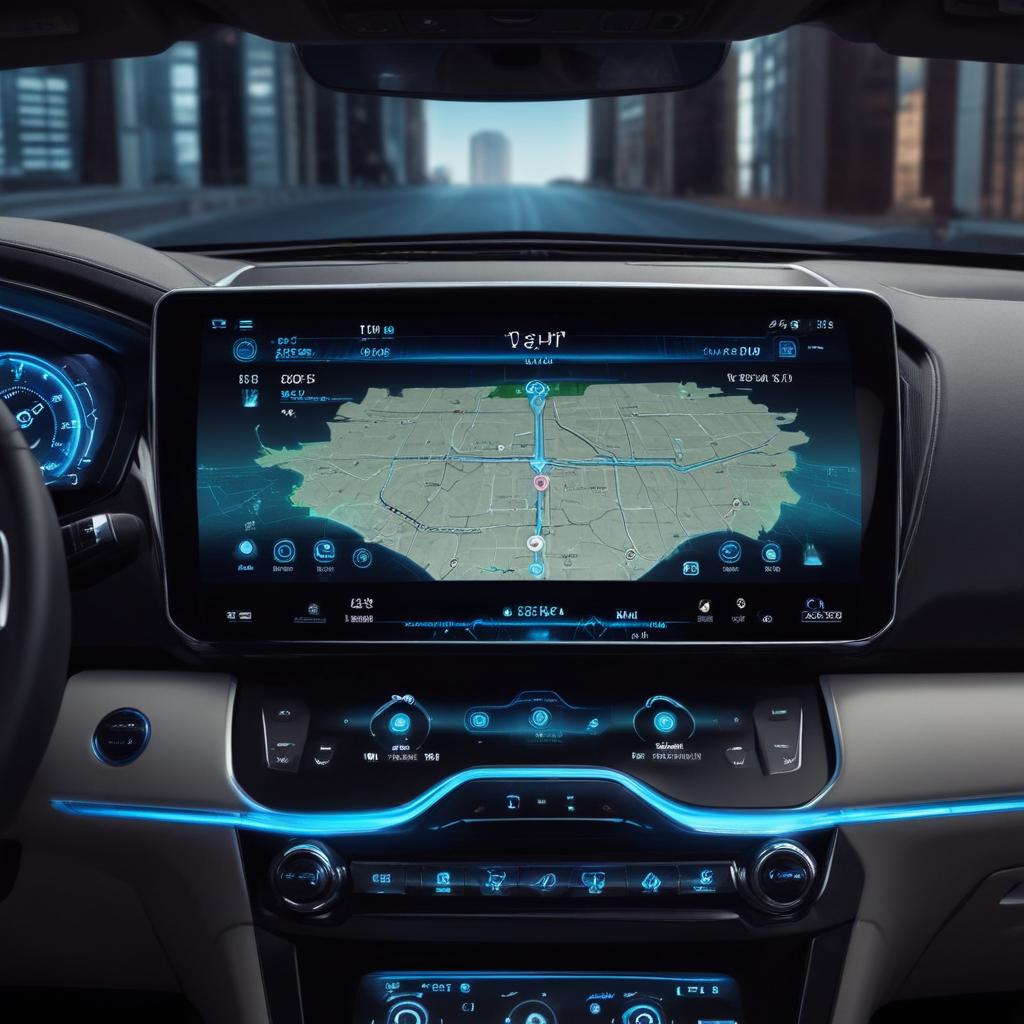
SYNC 4A (the “A” stands for Advanced) appears in premium models like the F-150 Lightning and Mustang Mach-E. It powers those massive 12-inch and 15.5-inch touchscreens with split-screen capability, showing navigation and media simultaneously. You’re not constantly switching between apps anymore – everything you need stays visible.
The system learns your habits too. Drive to the gym every Tuesday morning? SYNC starts suggesting the route without you asking. Always crank up the heat when temperatures drop below 50°F? It remembers and adjusts automatically. This isn’t creepy surveillance – it’s genuinely helpful artificial intelligence working in the background.
“Modern automotive technology should fade into the background, anticipating your needs before you realize them. That’s exactly what Ford’s latest systems accomplish.”
Voice Control That Finally Works
Previous voice recognition systems were… frustrating. You’d carefully enunciate commands like a robot, and the system would still misunderstand. SYNC 4 changed all that with natural language processing that understands conversational speech.
Now you can just say “I’m cold” and the system increases cabin temperature. “Find me tacos” pulls up nearby Mexican restaurants. “Call Mom” connects without asking which number or requiring confirmation screens. It’s shockingly close to talking with an actual person.
The system handles complex commands too: “Navigate to the nearest gas station on my route with diesel fuel.” SYNC 4 parses that entire sentence, understands what you need, and displays relevant options. Voice commands work even with background noise, accents, and casual phrasing – finally!
Wireless Everything (Finally!)
Wireless Apple CarPlay and Android Auto arrived as standard features across most 2021-2025 Fords. No more fumbling with cables when you get in. Your phone connects automatically, music resumes where you left off, and navigation picks up your route.
Wireless charging pads also became common, intelligently positioned where you’d naturally set your phone. The Mach-E and Lightning even offer multiple charging pads, so passengers can top up their devices too.
Over-the-Air Updates: Your Ford Gets Smarter Overnight
Tesla pioneered this feature, but Ford brought it to mainstream vehicles. Over-the-air (OTA) updates mean your truck or SUV can improve after you buy it, without ever visiting a dealer.
What Actually Gets Updated?
Ford’s OTA system can update:
- Infotainment software with new features and improvements
- Battery management systems for better range and charging
- BlueCruise mapping and capability enhancements
- Powertrain calibrations for improved performance
- Safety systems receiving latest algorithms
- Bug fixes addressing owner-reported issues
One notable update added “1-Pedal Driving” to the Mach-E months after launch. Another improved F-150 Lightning towing range calculations. Owners literally woke up to better vehicles without doing anything.
The process is seamless. Your Ford downloads updates over WiFi (usually overnight when connected to your home network), then installs them automatically. You get a notification when it’s complete. Some updates install while driving, others require the vehicle to be parked. Either way, it’s effortless.
The Security Side
Cybersecurity matters when your vehicle connects to the internet. Ford implements multiple layers of protection:
- Encrypted connections for all data transmission
- Secure boot processes preventing malicious code execution
- Isolated systems keeping critical safety functions separate
- Regular security patches delivered via OTA updates
- Two-factor authentication for FordPass app access
Your Ford isn’t vulnerable to random hackers. The architecture separates entertainment systems from critical driving functions, so even if someone compromised SYNC (extremely unlikely), they couldn’t affect brakes, steering, or acceleration.
Ford Digital Cockpit Features: 2021-2025 Comparison
| Feature | 2021 Models | 2023 Models | 2025 Models | Availability |
|---|---|---|---|---|
| SYNC 4 / 4A | Select Models | Most Models | Standard | Mustang, F-150, Explorer, Expedition |
| Wireless CarPlay/Android Auto | Limited | Common | Standard | Nearly All Models |
| Over-the-Air Updates | Lightning, Mach-E | F-150, Mach-E, Mustang | Most Connected Models | Premium Trims |
| BlueCruise Hands-Free | Mach-E Only | F-150, Expedition | Multiple Models | $800-2,100 Option |
| Digital Instrument Cluster | 12″ Available | 12″ Standard (Premium) | Up to 15.5″ Available | Varies by Model |
Note: Features vary by trim level and package selection; availability expanded significantly 2021-2025
BlueCruise vs. Competitor Systems: Technology Comparison
Hands-Free Driving Systems: Feature Comparison
Higher scores indicate more capable systems across pre-mapped highways, urban roads, and driver monitoring
BlueCruise: True Hands-Free Highway Driving
BlueCruise represents Ford’s most ambitious technology leap. This isn’t glorified cruise control – it’s legitimate hands-free driving on over 130,000 miles of pre-mapped divided highways across the US and Canada.
How It Actually Works
The system combines multiple technologies:
- High-definition maps of approved “Blue Zones” updated via OTA
- Radar sensors monitoring surrounding traffic
- Cameras tracking lane markings and road conditions
- GPS confirming vehicle position with centimeter accuracy
- Driver-facing camera ensuring you’re watching the road
When you’re on a Blue Zone highway, a blue light illuminates on the steering wheel. Activate BlueCruise, take your hands off the wheel, and the system handles steering, acceleration, and braking. The vehicle maintains safe following distances, navigates curves smoothly, and even helps with lane changes when you signal.
The driver monitoring is clever. Infrared cameras track where you’re looking. Glance at the road? System’s happy. Stare at your phone? It’ll warn you, then disengage if you don’t refocus. Some people find this intrusive, but it prevents the dangerous complacency seen with less sophisticated systems. BlueCruise requires active supervision – you must remain alert and ready to take control at any time.
Real-World Performance
Highway road trips become dramatically less tiring with BlueCruise. The system confidently handles the monotonous parts of driving – maintaining speed, staying centered, dealing with stop-and-go traffic. You stay engaged by monitoring the environment, but physical fatigue drops significantly.
The lane change feature works well once you trust it. Signal your intent, and BlueCruise checks for safe gaps, then smoothly moves over. It won’t aggressively dart into traffic like some human drivers (no names mentioned), but it gets the job done safely.
Limitations exist, of course. BlueCruise only works on pre-mapped highways, not city streets or rural roads. Heavy rain or snow can cause disengagement. Construction zones require manual control. But within its operational design domain, it’s remarkably capable.
Digital Instrument Clusters: Information Overload, Perfected
Gone are the traditional needle gauges. Modern Fords feature fully digital instrument clusters that reconfigure based on drive mode and preferences.
Customization That Makes Sense
The F-150’s 12-inch digital gauge cluster can display:
- Traditional gauge-style speedometer and tachometer
- Navigation with turn-by-turn directions front and center
- Truck apps showing towing stats, payload, and off-road angles
- Efficiency screens with real-time MPG and range
- Media information without glancing at the center screen
The Mustang’s cluster emphasizes performance data – G-forces, lap times, acceleration metrics. The Mach-E prioritizes range estimation and energy flow. Each vehicle’s personality shines through its digital displays.
You configure everything through steering wheel controls or SYNC menus. Want a minimalist speedometer-only view? Done. Prefer information overload with every stat imaginable? Also possible. The flexibility means every driver can customize their cockpit.
Augmented Reality Navigation
Premium models offer augmented reality (AR) navigation overlaying directional arrows onto live camera feeds. When approaching complex intersections or highway exits, the system superimposes bright, clear guidance directly on the road view. You’ll never miss your turn again – the system makes it obvious which lane you need.
This sounds gimmicky until you use it in an unfamiliar city. Traditional map views require mental translation – “that means I turn here?” AR navigation eliminates confusion by showing exactly where to go.
FordPass App: Your Vehicle in Your Pocket
The FordPass smartphone app became significantly more powerful during 2021-2025, essentially putting vehicle control in your pocket.
Remote Capabilities
From anywhere with cell service, you can:
- Start/stop the engine and pre-condition cabin temperature
- Lock/unlock doors remotely (lifesaver when you forget)
- Check fuel/battery level and remaining range
- Locate your vehicle in crowded parking lots
- Schedule charging for off-peak electricity rates
- Monitor vehicle health and maintenance needs
- Share access with family members temporarily
The F-150 Lightning’s app shows detailed charging status, letting you monitor charging sessions from your couch. You can even adjust charge settings remotely if your electricity provider offers time-of-use rates.
Vehicle health alerts notify you of issues immediately. Low tire pressure? You get a notification. Maintenance due? The app reminds you and can schedule dealer appointments. It’s like having a mechanic constantly monitoring your Ford.
Smart Home Integration
Ford partnered with Amazon Alexa and Google Assistant for smart home connectivity. From your kitchen, you can ask Alexa to “start my truck” or “what’s my F-150’s fuel level?” Your vehicle becomes part of your connected ecosystem.
The reverse works too – from your Ford, you can control smart home devices. “Alexa, turn off the garage lights” or “Hey Google, set my thermostat to 68 degrees” work through your vehicle’s voice system.
Pro Power Onboard: Your Ford as a Generator
Pro Power Onboard transformed Ford trucks into mobile power stations, offering up to 9.6 kilowatts of exportable electricity.
Practical Applications
The system provides standard 120-volt and 240-volt outlets throughout the truck:
- Cargo bed outlets for power tools and equipment
- Interior outlets for laptops and device charging
- Inverter converting vehicle power to usable AC current
Contractors run circular saws, drills, and compressors directly from their trucks. Tailgaters power fridges, TVs, and cooking equipment. RV owners supplement their onboard systems. The applications are endless.
The F-150 PowerBoost Hybrid offers 7.2 kilowatts, enough to run a job site for an entire day. The Lightning’s 9.6-kilowatt system can power an average home for three days during outages through Intelligent Backup Power with proper home integration equipment.
Pro Power Onboard requires proper electrical equipment and professional installation for home backup power applications.
Advanced Driver Assistance: Safety Through Technology
Ford packed their 2021-2025 vehicles with active safety systems that prevent accidents before they happen.
The Complete Suite
Co-Pilot360 technology includes:
- Pre-Collision Assist with automatic emergency braking detecting vehicles, pedestrians, and cyclists
- Blind Spot Information System with cross-traffic alert preventing sideswipes and backing collisions
- Lane Keeping System gently steering you back if you drift
- Adaptive Cruise Control maintaining safe following distances automatically
- Evasive Steering Assist helping you steer around obstacles during emergency maneuvers
- Active Park Assist 2.0 parallel and perpendicular parking with minimal input
These aren’t optional extras on premium trims – most are standard across the lineup. Ford democratized safety technology, making it accessible regardless of your budget.
Intersection Assistance
A particularly clever feature detects vehicles approaching from the sides at intersections. If you’re turning left and an oncoming car is speeding toward you, Pre-Collision Assist will brake automatically if you don’t react in time. It’s saved countless drivers from T-bone collisions.
The system also watches for pedestrians and cyclists in crosswalks. Urban environments become less stressful knowing your Ford has an extra set of eyes monitoring blind spots.
Connected Navigation: Always Up to Date
Cloud-connected navigation means your Ford’s maps are always current, receiving real-time updates about:
- Traffic conditions and automatic rerouting
- Construction zones and road closures
- Weather alerts affecting your route
- Gas prices at stations along your path
- Parking availability at your destination
- EV charging stations with live availability (for electric models)
Traditional GPS systems required annual update purchases and still showed outdated information. Ford’s connected system updates continuously, ensuring accuracy without subscription fees for map data (though certain premium navigation features may require FordPass Connect subscription after complimentary period).
Trail Tech: Digital Meets Dirt
The Bronco brought unique technology for off-road adventures. Trail Toolbox features include:
- Trail Turn Assist tightening turn radius by braking inside rear wheel
- Trail Control acting as low-speed cruise control over rough terrain
- Trail One-Pedal Drive controlling speed with just the accelerator
- 360-degree cameras with washers to clear mud and debris
- Front-facing camera spotting obstacles in front of the vehicle
- G.O.A.T. Modes (Goes Over Any Terrain) optimizing performance for sand, mud, rock crawling, etc.
The Raptor models (F-150 and Bronco) add Fox Live Valve suspension that continuously adjusts damping based on terrain conditions. Sensors monitor the landscape 500 times per second, ensuring optimal wheel contact whether you’re cruising pavement or blasting through desert whoops.
Digital displays show pitch and roll angles, suspension travel, and four-wheel-drive status. You’re not guessing your vehicle’s capabilities – precise data confirms what’s possible.
Frequently Asked Questions
Does SYNC 4 require a subscription to work?
The core SYNC 4 functionality (voice commands, Apple CarPlay, Android Auto, basic navigation) works without any subscription. However, cloud-connected navigation, live traffic, and certain FordPass features require FordPass Connect, which is complimentary for 3-5 years depending on model, then costs around $200 annually. Over-the-air updates remain free.
Can BlueCruise be added to older Fords?
Unfortunately, no. BlueCruise requires specific hardware (cameras, sensors, GPS) built into 2021+ vehicles. It can’t be retrofitted to older models. However, eligible vehicles without BlueCruise can often have it activated through Ford dealerships if the hardware is present, plus a software update.
How secure is FordPass from hackers?
FordPass uses bank-level encryption, two-factor authentication, and secure cloud infrastructure. While no system is 100% unhackable, Ford implements industry-leading security practices. The bigger risk is someone guessing your password – always use unique, strong passwords and enable two-factor authentication.
What happens if I lose cell service while using BlueCruise?
BlueCruise requires GPS signal but not constant cellular connectivity. The high-definition maps are stored locally in the vehicle. If you lose cell service, BlueCruise continues functioning normally. Loss of GPS signal (like in a tunnel) causes the system to disengage and prompt you to resume control.
Can I watch videos on the center touchscreen while driving?
No. Safety lockouts prevent video playback and certain apps while the vehicle is in motion. Passengers can still use navigation, music, and vehicle controls. When parked, the full entertainment system becomes available. This is a federally mandated safety feature across all manufacturers.
How long do over-the-air updates take?
Most updates install in 10-30 minutes, though major system updates can take 1-2 hours. Many install while driving without any interruption. Others require the vehicle to be parked with the ignition on. You’ll receive notifications about estimated completion time. Ford typically schedules updates for overnight when vehicles are parked and connected to WiFi.
Does Pro Power Onboard drain my truck’s battery?
Pro Power Onboard in hybrid and Lightning models can run indefinitely – the engine starts automatically to recharge the battery when needed. In gas-only F-150s, the system can provide power for several hours before needing to run the engine. The truck monitors battery levels and prevents complete discharge that would prevent starting.
What’s the difference between SYNC 4 and SYNC 4A?
SYNC 4A includes all SYNC 4 features plus enhanced processing power for larger screens (12-15.5 inches), split-screen capability, more advanced voice recognition, and expanded over-the-air update capability. It appears in premium models like the Lightning, Mach-E GT, and high-trim F-150s. Regular SYNC 4 still offers excellent functionality in more affordable models.
The Human Element in Digital Design
Ford’s engineers faced a critical question: How much technology is too much? They walked a fine line between innovation and usability.
The answer? Keep physical controls for essential functions. The F-150 still has a real volume knob (thank goodness), actual buttons for climate control, and a gear selector you can use without looking. Tesla’s everything-through-touchscreen approach might look minimalist, but it’s frustrating when you just want to turn down the heat.
Ford’s philosophy: digital enhancements shouldn’t replace intuitive physical controls. Touchscreens for complex tasks, buttons for quick adjustments. It’s the best of both worlds, and owners appreciate the thoughtfulness.
What’s Next: 2026 and Beyond
Ford’s technology roadmap continues evolving. SYNC 5 is reportedly in development with even more AI integration. BlueCruise expansions will cover more roads and add urban capability. Battery technology improvements promise longer range and faster charging.
But the foundation laid between 2021-2025 established Ford as a legitimate technology company, not just an automaker. They proved that traditional manufacturers could innovate as quickly as Silicon Valley startups while maintaining the reliability and capability truck buyers demand.
The digital cockpit isn’t just fancy screens and gimmicks. It’s genuinely useful technology that makes driving safer, more efficient, and more enjoyable. Ford figured out how to add sophistication without sacrificing simplicity – and that’s the real innovation.
Which Ford technology feature would transform your daily drive? Share your thoughts in the comments – especially if you’ve experienced BlueCruise or Pro Power Onboard in real-world situations!
References:
- Ford SYNC 4 Technical Documentation and User Guides
- BlueCruise System Architecture and Capability Reports
- FordPass App Features and Security Documentation
- SAE International Driver Assistance System Standards
- Consumer Reports Technology Ratings (2021-2025)
- Ford Pro Power Onboard Technical Specifications
- Automotive Cybersecurity Best Practices (ISO/SAE 21434)