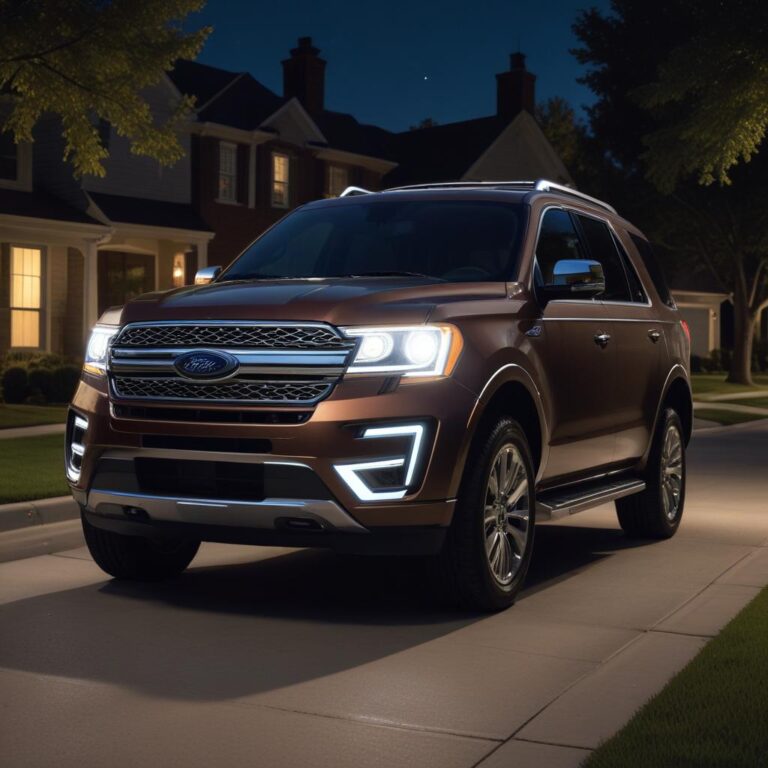
Why Your Ford Key Fob Suddenly Stopped Working | Quick Fix Guide for Ford Owners
You walk up to your Ford after a long day at work. You squeeze the unlock button. Nothing. You press it again, harder this time, like that will help. Still nothing. You stand there, clicking the button over and over, looking like a confused person trying to open someone else’s car.
We’ve all been there. Your key fob worked yesterday. Maybe even this morning. Now it’s dead silent, and you’re staring at your Ford like it’s forgotten who you are. The good news? Most fob failures are simple, cheap, and fixable in under five minutes. A dead battery causes 80% of problems. The other 20% are easy too — reprogramming, a blown fuse, or a fob that just needs a good cleaning. This guide walks you through every possible cause, from the obvious (battery) to the weird (the car itself forgot your fob).
TL;DR: Your Ford key fob stopped working because of a dead battery (most common), a fob that lost its programming, water damage, a blown fuse in the car, a dead car battery, or interference from another device. First test: try your spare fob. If it works, your main fob has a dead battery or is broken. Replace the battery (CR2032, $5). If that doesn’t work, reprogram the fob yourself using the ignition cycling method (on most Fords 2010 and older) or using the dashboard menu (on newer Fords). If nothing works, the Receiver Module in your car might have failed ($200–500 repair). But start with the battery — seriously, 8 out of 10 times it’s just the battery.
Key Takeaways
- Replace the battery first. CR2032 batteries cost $5 for a pack of 5. Do this before anything else.
- Try your spare fob. If it works, your main fob is the problem. If neither works, the problem is your car.
- Water damage kills fobs. If you dropped it in a puddle or washed it, open it up, dry it with a hairdryer (low heat), and clean the circuit board with rubbing alcohol.
- Your car can forget your fob. After a dead battery or jump start, some Fords lose programming. Re-sync by cycling the ignition or using the dash menu.
- A weak car battery (under 11.5 volts) makes the receiver act strange. Your fob might work fine at home but fail at the grocery store.
- Key fobs don’t last forever. The buttons wear out after 5–10 years. A new fob from a dealer costs $150–400. Aftermarket fobs cost $30–50 but need programming.
Ever had your key fob work from across the parking lot one day, and then refuse to work when you’re touching the door handle the next?
That sudden death is frustrating. But here’s the thing — key fobs rarely break suddenly. They give warnings. The range gets shorter. You have to press the button twice. You stand closer to the car. You ignore these signs. Then one day, nothing. Let’s figure out which part actually failed.
How Your Ford Key Fob Actually Works (Simple Version)
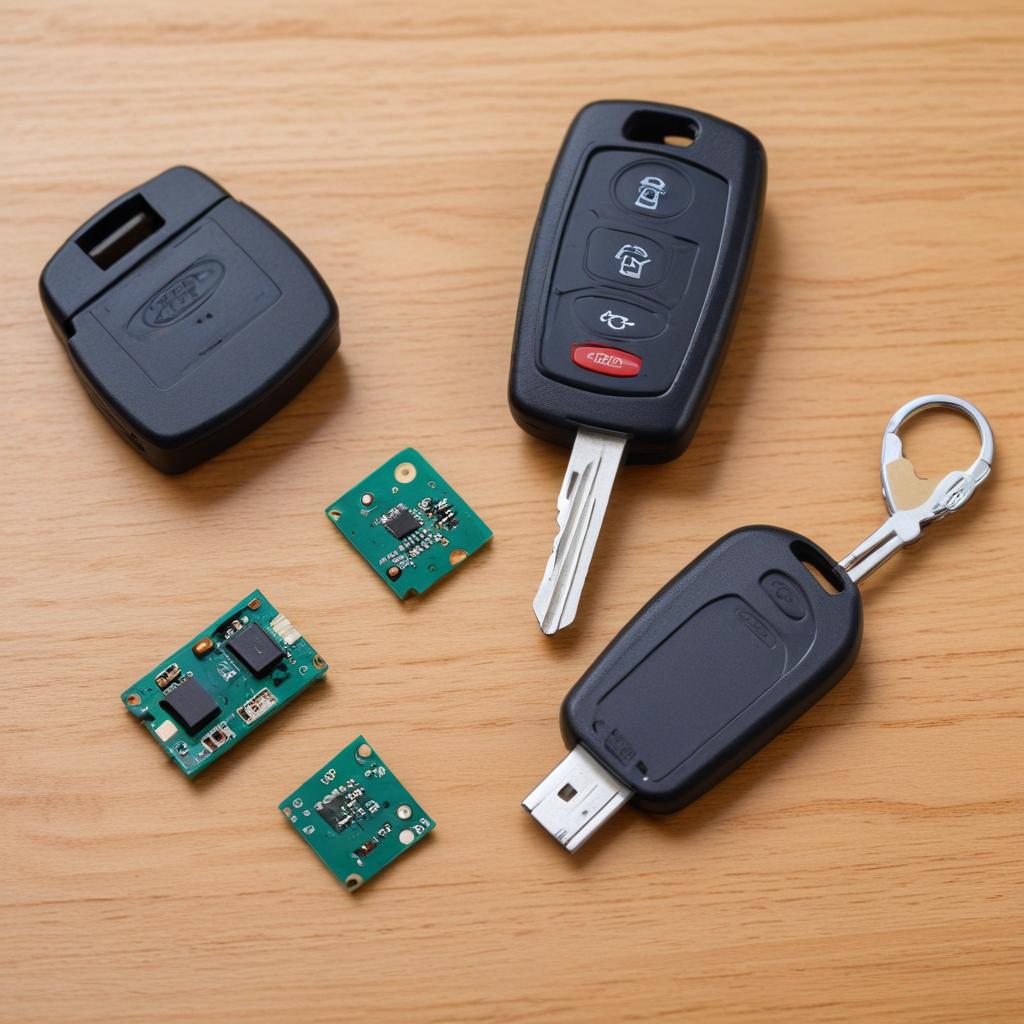
Your key fob is a tiny radio transmitter. Inside is a small circuit board, a microchip with a unique digital code (think of it like a secret password), and a battery. When you press a button, the fob broadcasts that secret code on a specific radio frequency (315 MHz for North American Fords). Your Ford has a Receiver Module hidden somewhere inside — behind the rearview mirror, under the dash, or in the overhead console. That receiver hears the code, checks if it matches what’s stored in the car’s memory, and if it does — unlocks the doors or pops the trunk.
When the battery dies, no power means no radio signal. When the fob gets wet, the circuit board corrodes and the signal gets scrambled. When your car’s battery dies, the receiver loses power and can’t listen. Any one of these breaks the chain.
“I’ve seen people buy new fobs from the dealer for $350 when all they needed was a $2 battery and 2 minutes of their time. Always start with the cheapest, simplest fix first.” – Mobile Locksmith (Ford specialist), 15 years
The 10 Reasons Your Ford Key Fob Stopped Working (Plus Fixes)
Try these in order. Most people find the fix by step 2.
1. Dead Battery (The #1 Cause by a Landslide)
This is it. This is the culprit 80% of the time. Your key fob uses a CR2032 coin cell battery (some older Fords use CR2025 — check your old battery before buying). These batteries last 2–4 years depending on how often you use the fob. When they die, they die suddenly.
How to check: How old is your fob battery? If it’s been more than 2 years, replace it anyway. Also, has the range been getting shorter over the past few weeks? That’s the classic sign of a dying battery.
What to do: Open your key fob. Most Ford fobs have a small slot on the side or bottom. Insert a flathead screwdriver or a coin and twist gently. The fob splits open. Pop out the old battery. Note which side faces up (positive side usually faces the back cover). Insert the new CR2032 battery. Snap the fob closed. Test all buttons.
The fix time: 2 minutes.
Pro tip: Buy CR2032 batteries in bulk on Amazon — $7 for a 20-pack. Keep a few in your glove box. Change all your fob batteries every two years on your birthday.
2. Water Damage (The “Oops, It Went Through the Wash” Problem)
Key fobs and water don’t mix. Even a little moisture from a sweaty pocket or rain can cause problems. A full wash cycle in jeans is usually fatal. But sometimes you can save it.
How to check: Open the fob. Look at the circuit board (the green part with silver lines). Do you see white crusty residue? Green or black spots? Any discoloration? That’s corrosion from water damage.
What to do immediately (if it just got wet): DO NOT press any buttons. Remove the battery immediately. Shake out excess water. Put the fob in a bag of uncooked rice or silica gel packets for 48 hours. Then try a new battery.
What to do if it’s already dead (corrosion present): Open the fob. Remove the battery. Dip an old toothbrush in 91% or higher isopropyl alcohol. Gently scrub the circuit board, especially around the battery contacts and button pads. Let it air dry for 30 minutes. Replace the battery. Test. If it still doesn’t work, the fob is permanently damaged. Buy a replacement.
The fix time: 15 minutes of active work, plus drying time.
Safety reminder: Don’t use a hairdryer on high heat — you’ll melt the plastic or warp the circuit board. Low heat only, or just air dry.
3. The Car Battery Is Dead or Weak (The Fake-Out)
This one tricks people all the time. Your key fob is fine. The car’s battery is dead. So when you press the button, nothing happens because the receiver in your Ford has no power. You blame the fob. The fob did nothing wrong.
How to check: Do your interior lights turn on when you open the door? Does the dashboard light up when you turn the key? If everything is dark or dim, your car battery is dead. Also, does the fob work sometimes but not others? A weak battery (under 11.5 volts) makes the receiver act flaky.
What to do: Jump start your Ford or replace the car battery. Once the car has power, test your fob again. It will almost certainly work.
The fix time: 10 minutes for jump start, 30 minutes for battery replacement.
Pro tip: If your car battery is 4+ years old and dying, replace it before it leaves you stranded. A new battery costs $150–250. Cheaper than a tow truck.
4. The Fob Lost Its Programming (The Ghost Problem)
Sometimes, for no obvious reason, your Ford forgets your key fob. This usually happens after a dead car battery, a jump start, or someone disconnecting the battery. The memory in the Body Control Module gets wiped or corrupted.
How to check: You replaced the battery in the fob. Your car battery is healthy. But the fob still doesn’t work. Your spare fob works fine. That means your main fob lost its programming.
What to do (method 1 — older Fords, 2010 and earlier):
- Get in your Ford and close all doors.
- Turn the ignition from OFF to RUN (not start) 8 times within 10 seconds, ending in RUN.
- The door locks should cycle (lock then unlock). That means you’re in programming mode.
- Press any button on your key fob. The door locks should cycle again.
- Turn the ignition OFF. Test your fob.
What to do (method 2 — newer Fords, 2011–2024 with push-button start):
You usually need two working fobs to program a third. Or you need dealer-level equipment. But some models let you program through the dashboard:
- Sit in the driver seat with all doors closed.
- Press the brake pedal and push the START button (don’t start the engine — just turn electronics on).
- Go to Settings > Vehicle > Keyless Entry > Program New Fob (or similar wording).
- Follow screen instructions. Usually involves placing the fob in the backup location (center console or cupholder).
What to do (method 3 — if you have no working fobs at all):
Call a mobile locksmith. They have equipment to program new fobs without a working original. Cost $100–200. A dealer will charge $150–300. Both are cheaper than a tow truck.
5. Blown Fuse in Your Ford (The One Nobody Checks)
The receiver module that listens for your key fob is powered by a fuse. If that fuse blows, the receiver goes silent. Your fob could be screaming its code, but nobody’s home to hear it.
How to check: Does your spare fob also not work? If neither fob works, and you’ve checked the car battery, a blown fuse is likely. Also, check if your interior lights, power locks, or radio work. Often the same fuse powers multiple things.
What to do: Open your under-hood fuse box or interior fuse box (driver side kick panel on most Fords). Look on the fuse box lid for a diagram. Find the fuse labeled “BCM” (Body Control Module), “Keyless Entry,” “Remote Receiver,” or “Interior Lights.” Pull it. Look at the metal strip inside. If it’s broken, replace it with the same amperage (usually 10 or 15 amps).
The fix time: 10 minutes.
6. Worn Out Buttons (The Hidden Failure)
Key fob buttons are rubber or silicone. They press down on a small metal dome switch on the circuit board. After thousands of presses, the rubber can tear, the metal dome can crack, or the conductive pad under the button can wear away.
How to check: Open the fob. Look at the rubber button pad. Does it have cracks, tears, or holes? Look at the circuit board where the buttons press. Are the metal domes still attached? Do you see black residue (worn off conductive material)?
What to do (temporary fix): Take a pencil eraser and gently rub the metal dome contacts on the circuit board. This cleans off oxidation. Also clean the black conductive pads on the rubber button sheet. Reassemble and test.
What to do (permanent fix): Buy a replacement fob shell (not the whole fob — just the plastic case and rubber buttons). Cost $10–20 on Amazon. Transfer your circuit board and battery into the new shell. This keeps your original programming but gives you fresh buttons.
The fix time: 15 minutes.
7. Radio Interference (The Invisible Enemy)
Your key fob uses radio frequency 315 MHz. So do garage door openers, baby monitors, some Wi-Fi routers, and even power lines. If something nearby is blasting on the same frequency, it can drown out your fob’s signal.
How to check: Does your fob work in some parking lots but not others? Does it fail consistently when parked near a specific building, power substation, or cell tower? Try standing right next to the driver door. Does it work then? If yes, interference is likely.
What to do: Move your Ford to a different parking spot (even 50 feet away can help). If the fob works there, you found interference. Nothing you can do except park somewhere else. Or use the key blade to unlock manually.
The fix time: 30 seconds to test.
8. Broken Key Fob Circuit Board (The Drop Damage)
You dropped your fob on concrete. It bounced. You picked it up and it seemed fine. But inside, a tiny solder joint cracked or the crystal oscillator (the part that creates the radio frequency) broke.
How to check: Did you drop your fob recently? Open it and look closely at the circuit board. Do you see any cracks? Any loose components? Is the battery holder still firmly soldered?
What to do: This isn’t a DIY fix unless you’re good with a soldering iron. Buy a replacement fob. You can get an aftermarket fob online for $30–60. Then have it programmed. A locksmith can do this for $50–100. A dealer for $100–200.
The honest truth: If you dropped your fob and it stopped working immediately after, buy a new one. Don’t waste time trying to fix a cracked board.
9. The Fob Was Cloned or Intercepted (Rare but Real)
Key fobs use rolling codes — the secret password changes every time you press the button to prevent thieves from recording and replaying your signal. But if someone with a special device captures your signal multiple times, they can desynchronize your fob. Suddenly your fob’s code doesn’t match what your car expects.
How to check: Did someone suspicious hang around your car while you were locking it? Does your fob work for 1-2 presses then stop, then work again after you use the key blade? That’s a desynchronization issue.
What to do: Resynchronize the fob by pressing the Lock button 5-10 times rapidly while standing next to the car. Or use the ignition cycling method (see #4 above) to reprogram the fob completely.
Safety reminder: If you suspect someone tried to steal your signal, reprogram all your fobs at a dealer. Thieves may have cloned your fob and can unlock your car anytime.
10. The Receiver Module Failed (The Expensive One)
This is the least common but most expensive failure. The actual module in your Ford that listens for the fob signal has died. There’s no fix except replacement.
How to check: You’ve tried everything. New battery in fob. Car battery is healthy. Spare fob doesn’t work either. No blown fuses. No interference. Nothing works. Your Ford won’t respond to any fob.
What to do: Take your Ford to a dealer or specialty shop. They need to diagnose which module failed — usually the Remote Function Actuator (RFA) module or the Body Control Module (BCM). Part cost $200–400. Labor $150–300. Total $350–700.
The honest truth: On a 10+ year old Ford, this repair might cost more than the car is worth. Use your key blade to unlock manually and live with it. Or buy a used module from a junkyard ($50–100) and have a locksmith program it to your car.
Comparison: Ford Key Fob Types and Common Failures
Different generations of Ford fobs have different weak points.
| Ford Model Years | Fob Type | Battery | Common Failure | Replacement Cost |
|---|---|---|---|---|
| 2005–2010 | Square, 4-button | CR2032 | Worn buttons, cracked case | $20–50 aftermarket |
| 2011–2014 | Curved, flip-key | CR2032 | Flip key spring breaks, battery contacts corrode | $30–60 aftermarket |
| 2015–2020 | Slim, 5-button | CR2032 | Water damage, button pad wear | $40–80 aftermarket |
| 2021–2025 | Rectangle, push-button start | CR2032 | Dead battery (still the #1 issue) | $100–200 aftermarket (needs programming) |
| F-150 2015+ | Same as above (intelligent access) | CR2032 | Proximity sensor fails (door handle won’t unlock on touch) | $150–250 for fob, plus $100 programming |
Note on intelligent access (passive entry): If your doors unlock when you touch the handle but the buttons don’t work, the fob is fine. The issue is the button pad on the fob itself. Replace the fob shell.
Real Story: How I Almost Bought a $400 Fob for a $3 Problem
My neighbor has a 2016 Ford Explorer. His key fob stopped working completely. He went to the Ford dealer. They said the fob was “dead” and quoted $380 for a new one plus $120 programming. $500 total.
He called me upset. I asked, “Did you try a new battery?” He said, “No, they said the fob was dead, not the battery.”
I walked over with a CR2032 battery from my junk drawer. Opened his fob. Swapped the battery. Handed it back. He pressed Unlock. The lights flashed. The doors opened. He looked at me like I was a wizard.
The dealer was going to charge him $500 for a $3 battery and 60 seconds of work. Don’t be that guy. Always try the battery first.
“I make a living programming new fobs. But I always tell customers to try a new battery before they pay me. Half the time, they call back and say ‘it worked, thanks for being honest.’ The other half, I get the job. Honesty is good business.” – Mobile Locksmith
How to Manually Unlock Your Ford When the Fob Dies (Emergency Method)
Every Ford key fob has a metal key blade hidden inside. This works even if the battery is dead, the fob is broken, or the car battery is dead.
To access the key blade:
- On most Ford fobs: Look for a small button or latch on the back or side. Press it. Pull the metal key out.
- On flip-key fobs: Press the button on the side. The key flips out.
- On older Ford fobs: The key is separate.
To unlock the driver door:
- Insert the metal key into the driver door lock cylinder (it’s under a plastic cover on some Fords — pry the cover off gently).
- Turn the key toward the front of the car to unlock.
- Open the door. The alarm may go off if the fob is dead. That’s normal.
- To stop the alarm, start the engine within 10 seconds. Place the dead fob near the backup location (usually the center console, cupholder, or steering column) and press the brake and START button.
Pro tip: Know where your key blade is before you need it. Practice extracting it once in your driveway. Doing it in the dark in a rainstorm is not the time to learn.
How to Start Your Ford When the Fob Battery Is Completely Dead (Push-Button Models)
If your Ford has push-button start and the fob battery is dead, the car won’t detect the fob. But there’s a backup.
Step 1: Use the metal key blade to unlock the driver door (alarm may go off).
Step 2: Locate the backup starting location. This varies by model:
- F-150 (2015+): Place the fob in the center console cubby, at the very front, with buttons facing up. Or in the cupholder (there’s a fob logo at the bottom).
- Explorer: Center console, in the small slot at the front.
- Mustang: In the cupholder, with the buttons facing down.
- Escape: Under the rubber mat in the center console, near the front.
- Edge: In the center console storage bin, at the bottom.
Step 3: Press the brake pedal. Push the START button within 10 seconds. The car should start.
Step 4: Drive to a store and buy a CR2032 battery. Your fob will work normally again once replaced.
Safety reminder: If the car doesn’t start, your fob might be completely dead (not just battery) or the car’s receiver is faulty. Call for help.
Chart: Key Fob Failure Rates by Cause and Vehicle Age
This chart shows what actually kills Ford key fobs based on locksmith service data.
🔋 What Kills Ford Key Fobs (Locksmith Survey, 2,000+ Service Calls)
Source: Survey of mobile locksmiths (2023–2025), 2,000+ Ford fob service calls.
How to Prevent Key Fob Problems (Maintenance Tips)
A little prevention saves a lot of frustration.
- Change the battery every 2 years. Mark your calendar. Do it on New Year’s Day or your birthday.
- Keep your fob dry. Don’t leave it in a cupholder where condensation drips. Don’t leave it in gym shorts going into the wash.
- Buy a silicone cover ($5–10 on Amazon). Protects against drops and moisture.
- Don’t hang heavy keychains on your fob. The extra weight damages the ignition cylinder and the fob’s internal connections over time.
- Keep a spare battery in your glove box. A CR2032 is tiny. Costs nothing. Saves everything.
- Know where your key blade is. Practice using it once a year.
FAQ: Real Questions from Ford Owners
1. Can I start my Ford without the key fob at all?
No. Modern Fords (2011+) require the fob’s transponder chip to disable the immobilizer. Without a working fob, you cannot start the engine. Call a locksmith or dealer. They can cut a new key and program a new fob.
2. How much does a replacement Ford key fob cost?
Dealer: $150–400 plus $100–200 programming. Mobile locksmith: $100–250 total (fob + programming). DIY: Buy aftermarket fob online ($30–60), then pay locksmith to program ($50–100). Do NOT buy a used fob from eBay unless it’s new-old-stock — used fobs are locked to the previous car and cannot be reprogrammed on most Fords.
3. Can I program a Ford key fob myself without a working original?
No. Ford requires two working keys to program a third yourself. If you have zero working keys, you need a locksmith or dealer with specialized equipment. They can program from scratch using the vehicle’s VIN and proof of ownership.
4. Why does my key fob work sometimes but not others?
Weak battery (most common), loose battery connection (bend the metal tabs slightly), or radio interference in certain locations. Also, if your car battery is weak, the fob might work when the car was recently driven (battery charged) but fail after sitting overnight (battery voltage dropped).
5. My Ford says “Key Not Detected” but the fob battery is new. What’s wrong?
The fob lost programming or the car’s receiver is failing. Try the backup starting location (cupholder or center console). If the car starts there, the fob is working but the receiver range is weak. Replace the car battery first (low voltage affects receiver sensitivity). Then try reprogramming the fob. If neither works, the receiver module may need replacement.
6. Can a dead key fob drain my car battery?
No. The fob only transmits when you press a button. It’s not constantly talking to the car. A dead fob battery won’t affect your car battery at all.
7. How do I know if my key fob is transmitting a signal?
You can’t without special equipment. But a quick test: open your fob and momentarily short the button contacts with a paper clip (bypassing the rubber button). If the car responds, the fob works and the button pad is worn out. If the car doesn’t respond, the circuit board or battery is dead.
8. Will disconnecting my car battery reset my key fob?
Sometimes. Disconnecting the battery can cause the car to forget the fob (lose programming). It can also fix a glitched receiver. If your fob stopped working after a jump start or battery replacement, reprogram it using the ignition cycling method (#4 above).
9. Can I use any CR2032 battery, or does it have to be a specific brand?
Any brand works. Duracell, Energizer, Sony, Panasonic, even generic store brands. Avoid “ultra cheap” no-name batteries from unknown sellers on eBay — they may be dead on arrival or leak acid. Name brands cost $1–2 each. Worth it.
10. My Ford has remote start on the fob, but it stopped working too. Same fix?
Yes. Remote start and lock/unlock use the same battery. If remote start stopped working but lock/unlock still works, your battery is weak. Replace it. If both stopped, same troubleshooting steps apply.
References:
- Ford Official Support – Key Fob Battery Replacement Guide
- Consumer Reports – Why Your Key Fob Stopped Working
- Ford Truck Enthusiasts – Key Fob & Remote Programming (Real Fixes)
- ALOA – Find a Certified Automotive Locksmith Near You
Has your Ford key fob ever left you standing in a parking lot like a fool? Did you fix it with a $3 battery or did it cost you big? Drop your story below — we reply to every comment and help diagnose weird fob problems every day.